|
Your Internet connection may be provided in one of several forms - for example ADSL, ISDN, cable modem etc. When selecting your router, the first
thing to consider is that connection - i.e. how your router connects to the outside world. On the router, this is known as the 'WAN' (or WAN-side)
connection, as opposed to the LAN-Side connection, which is the other 'side' of the router, where it connects to your local PCs/network.

To suit each type of WAN/Broadband presentation, there are three main types of WAN interface available on Vigor routers. Some models have one
WAN interface and others have combinations of two WAN interfaces, for example ADSL and ISDN.
Once you have verified your line-type from the categories below, you
can select your router from the
feature comparison chart.
|
2. Ethernet (RJ45) - Including Cable Modems
This type of interface is used for various types of broadband feed.
Effectively 'any' kind of Internet feed which comes in via Ethernet
(10BaseT or 100BaseT) and presents a dynamic or static IP address can
connect to this type of interface. The two most common examples this
interface being used are a cable modem (or 'set top box') or another
existing router, which is providing an Internet feed. Remember that the
same type of Interface (Ethernet / RJ45 socket) is also used on the
router's LAN side, so in this scenario, both sides of the router are
Ethernet-based. |
|
or |
 |
 |
|
|
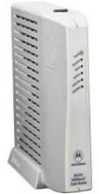
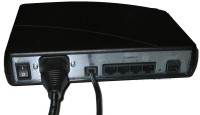
Typical Cable Modem
(e.g. for Telewest & NTL) |
|
BT-Supplied Router on
ADSL with Ethernet output |
|
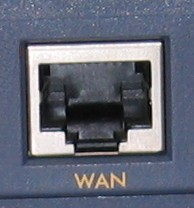
Vigor's RJ45 Ethernet Socket
(e.g. on Vigor2300) |
|
A technical note about the BT ADSL router above : That router is
normally installed on an ADSL line by your ISP and provides an Ethernet
output (actually four, as shown) which can then be connected to the
Ethernet WAN input on a Vigor router. It is possible, however, to remove
the existing router, and connect a Vigor router in its place. In that
case, you need a different type of Vigor router, as you need one with an
ADSL interface on the WAN-side, rather than Ethernet - See type 3,
below. The type of ADSL line which that type of router is provided with
may have a single dynamic (changing) public IP address (which is then 'NATted'),
a single static (fixed) public IP address (which the router also 'NATs')
or a range (subnet) of static public IP addresses (non-NAT).
|
|